

 Action Mode · Beta
Say what you need.Voice Cursor gets it done.
Find files, send emails, schedule meetings, and more—with your voice.

From voice to text.
Now, voice to action.
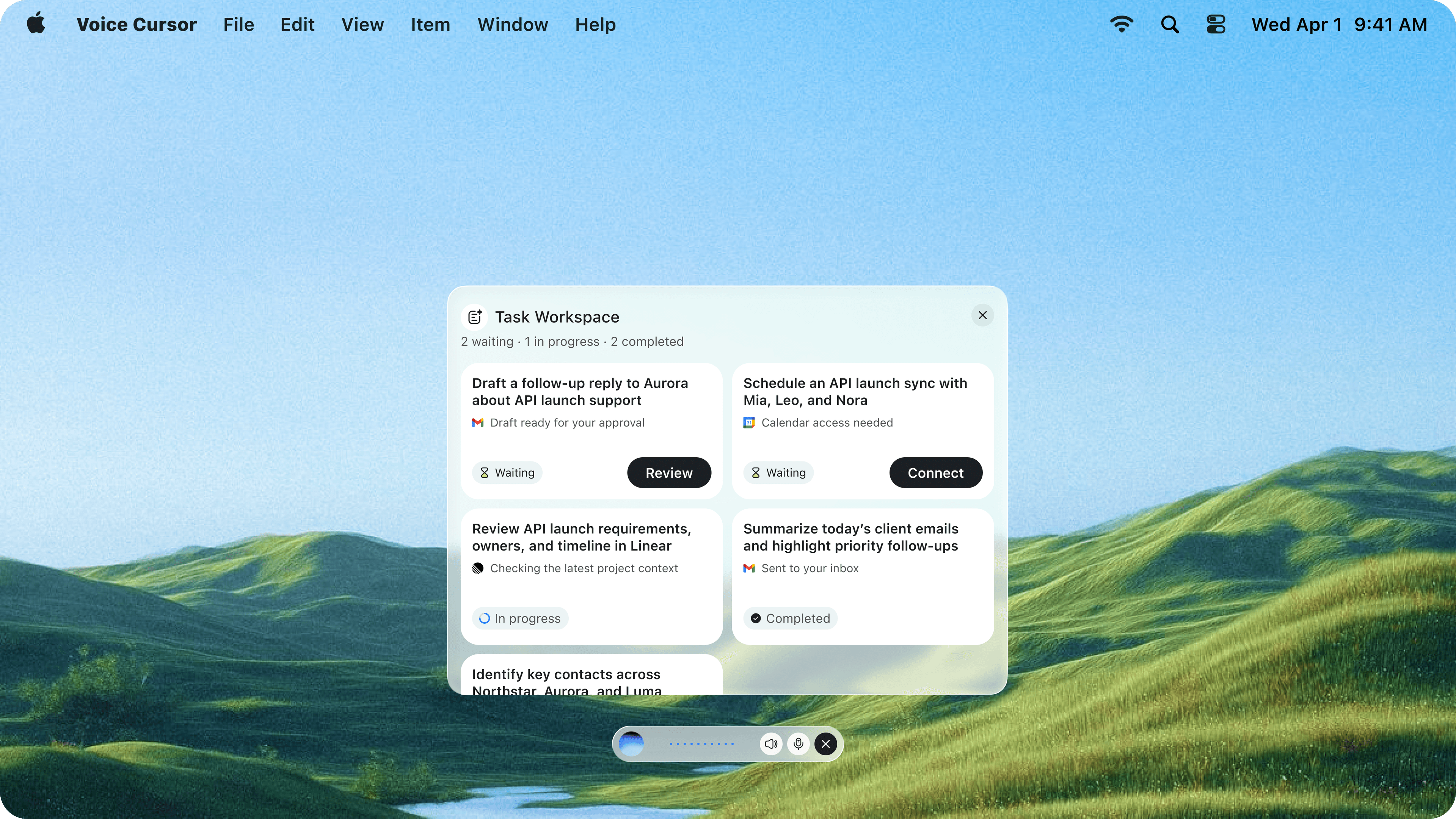
Tell Voice Cursor what you need done. It takes action in your apps.Tell Voice Cursor what you need. It takes action in your apps.

 Find a file
 Schedule a meeting
 Send an email
 Create a task
 Start a coding task
Search across your work Finder
Describe what you need. Voice Cursor finds it and opens it for you.
Voice Cursor finds two Q4 planning files in Finder from a spoken request. Files modified last week
I found 2 Q4 planning files in Finder.
 Finder
Files modified last week Name Size Date Modified Q4 Product Planning Brief.pdf 2.4 MB Sep 9, 10:42 AM Q4 Planning Notes.docx 856 KB Sep 12, 9:06 AM  Example request
“Find the Q4 planning file I worked on last week.”
Voice Cursor shows the Gmail messages that need a reply today. Emails to reply to today
I found 2 emails that need your response.
Gmail- Aurora
API launch & tech support
Could you confirm the launch window and integration support?
- Northstar
Quote & delivery timeline
Confirming quote; asks earliest delivery.
Example request“Show me the emails I need to reply to today.”
Voice Cursor finds a Slack thread containing the launch timeline. Launch timeline
Found in #product-launch · shared by Andrew
 Slack#product-launchExample request
“Find the thread where Andrew shared the launch timeline.”
Voice Cursor finds the API launch progress meeting in Google Calendar, including its time, attendees, and meeting link. Design team sync
Found next week · Tue, Sep 17
Google CalendarAPI Launch Progress Sync

Thursday · 2:00–2:30 PM

- aurora@example.com
- mia@example.com
- leo@example.com
- nora@example.com

Google Meet
Example request“Find the API launch progress sync next week.”





 FinderSlack

 Ready to review


Stop switching apps.
Tell Voice Cursor what to do. It handles the action in the right app.
Example request
“Share this document in our team's Slack channel”
Check the calendar
Andrew is free at 3:00 PM tomorrow
Book the meeting
Meeting with Andrew is booked for 3:00 PM
Send the project plan
Project plan.pdf is sent to Andrew
Review before sending
Send this email to Andrew?
GmailProject plan for tomorrow’s meeting
Hi Andrew,
I’ve booked our meeting for tomorrow at 3:00 PM.
I’ve attached the project plan so you can review it beforehand. Looking forward to aligning on next steps.
Best,
Jack
Say the whole task.
Give one request, including what to check and what to do next.
Example request
“Check my calendar, book a meeting with Andrew tomorrow afternoon, and email him the project plan.”

 Privacy
You’re still in charge.You stay in control.
Review actions before they run, or enable auto-execute for a hands-free experience.Choose whether to review each step first or let Action Mode move faster.
Review before running
See each proposed action and approve it before Voice Cursor continues.
Auto-execute
Let Voice Cursor complete approved workflows without pausing for every step.
Action Mode · BetaTry it. Tell us what you think.
Action Mode is in beta. Help shape what it does next.